Search for a school management system and you will find a mature, crowded market: Fedena, QuickSchools, SchoolLog, eSkooly and a long tail of others, most of them competent and some of them very cheap.
Almost all of them were designed for a school with a building, and have had online lessons added afterwards as a feature. That is a different product from one designed for a school where there is no building at all, and the difference is not cosmetic. It shows up in five specific assumptions.
1. Attendance is a thing a teacher types
In a building, the register is a human act, so the software gives the teacher a list with tick boxes. Add "online lessons" to that product and you get the same list of tick boxes, next to a Zoom link.
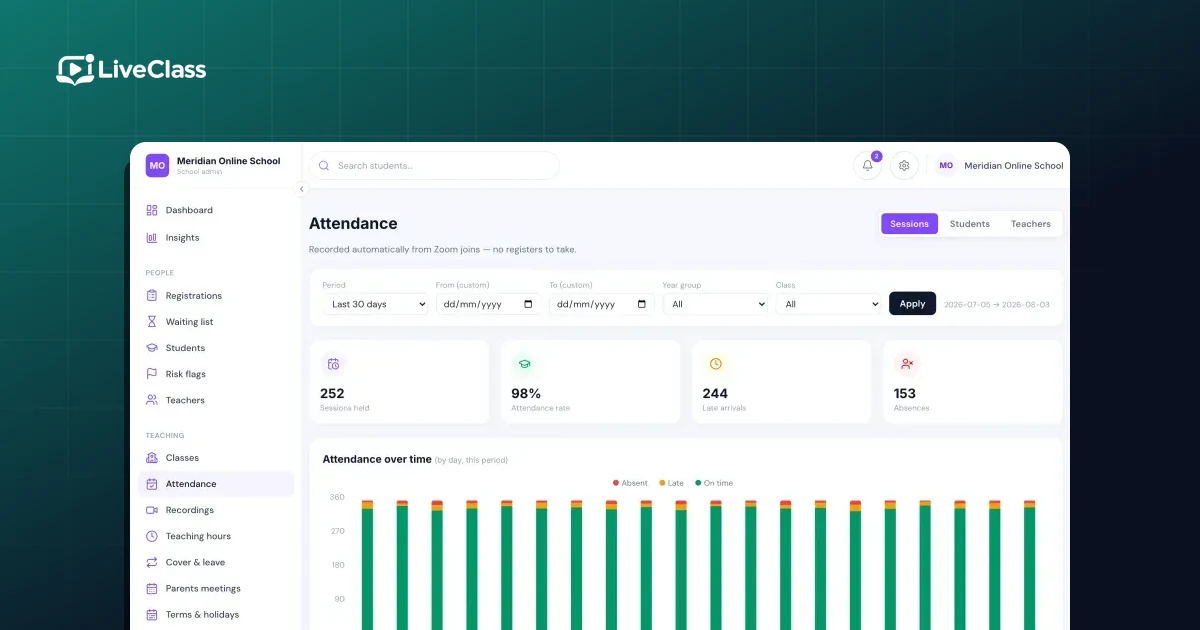
But the video platform already knows exactly who joined, when and for how long. A system designed for online schools reads that directly and produces the register with no teacher input at all. A system designed for buildings asks a teacher who is already managing a screen share, a chat window and twenty microphones to fill in a form.
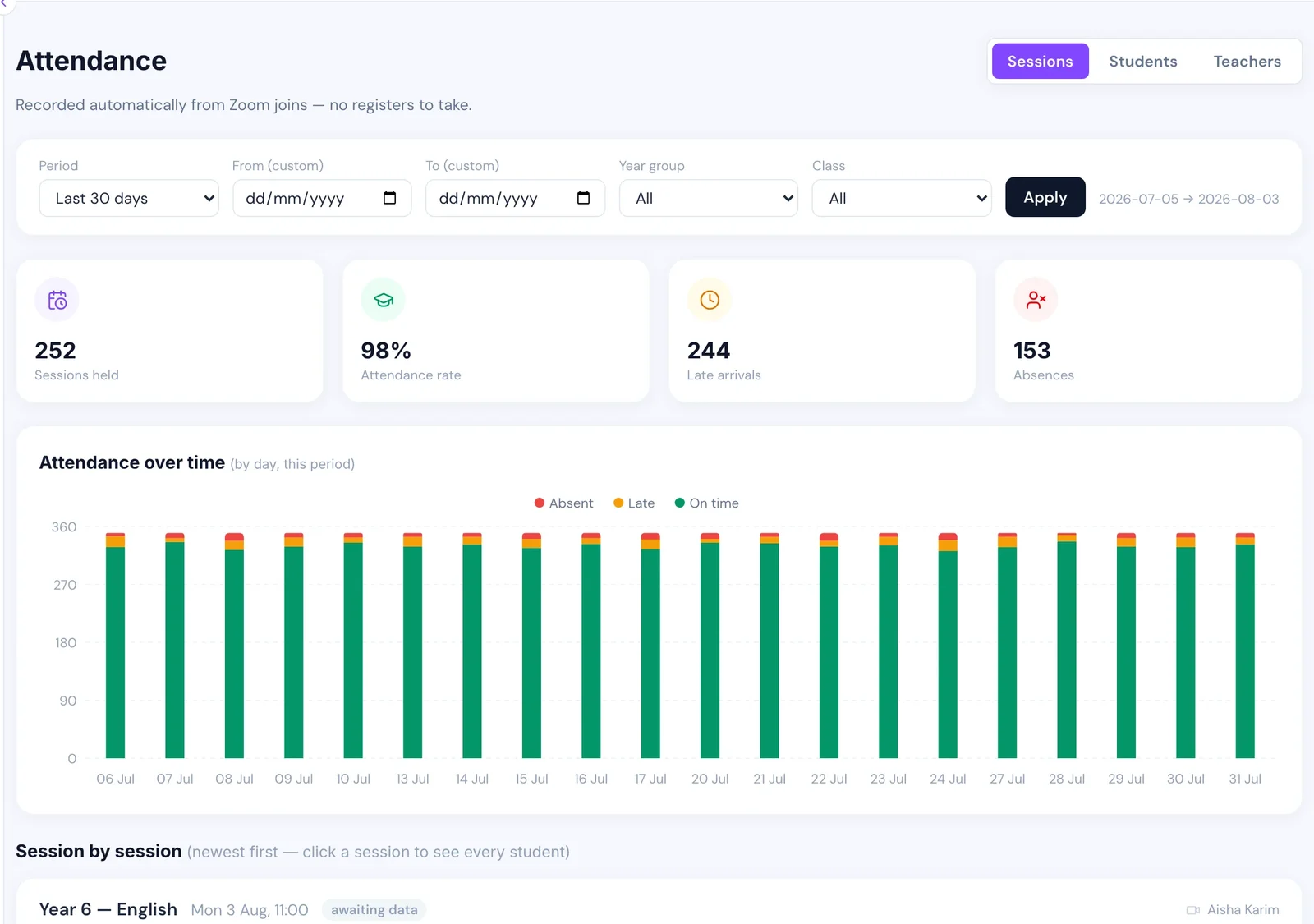
The gap is not convenience, it is data quality. Teacher-typed registers in online schools are complete for a few weeks and patchy thereafter — which means the attendance data cannot be used for the thing it is most valuable for, which is spotting a pupil drifting away before they leave.
2. There is one timetable, in one time zone
Building-based systems model a timetable as periods in a day, because a bell rings and everyone is in the same place. Online schools routinely teach families across several time zones, and the same lesson is 4pm for one child and 9pm for another.
The consequences are practical. Attendance that looks poor in one slot is often a timetable problem rather than a pupil problem. A reminder sent "the morning of the lesson" is sent in the middle of the night for a third of the school. Systems that store times without properly modelling the family's zone produce a steady trickle of these, and each one looks like a small independent bug rather than one design decision.
3. Fees are collected by a front office
This is the biggest one commercially.
Building-based systems tend to model fees as invoices that somebody in the office reconciles, because that is what happens when a parent can hand over a card at a desk. Online schools have no desk. Fees have to be requested, collected, reconciled and chased entirely at a distance, often across a border, and frequently in more than one currency.
That changes what the software needs to do:
- Chasing has to be automatic and finite, not a task on somebody's list.
- Payment by bank transfer needs to be a first-class rail rather than a workaround, because a large share of online schools cannot or will not use cards.
- Every pupil needs a visible "paid up to" date, whatever route the money took.
- Whether lesson access depends on payment is a rule the system enforces, not a conversation staff have to have.
Systems built around a front office give you invoices and a report. The chasing is still yours.
4. Communication is supplementary
In a physical school, the software's messaging is a nice extra, because the real communication happens at the gate, at parents' evening and in the corridor. Online, the portal is the relationship. There is no other channel.
Products built for buildings show this in small ways that add up: parent portals with a fraction of the care given to the staff interface, notification settings that assume parents check a website, and no notion at all that a parent might not read English. Online schools are much more likely to be teaching families across several countries and languages — a diaspora community school is a common shape — and translation is not a nice-to-have there.
5. The pupil is enrolled once, in September
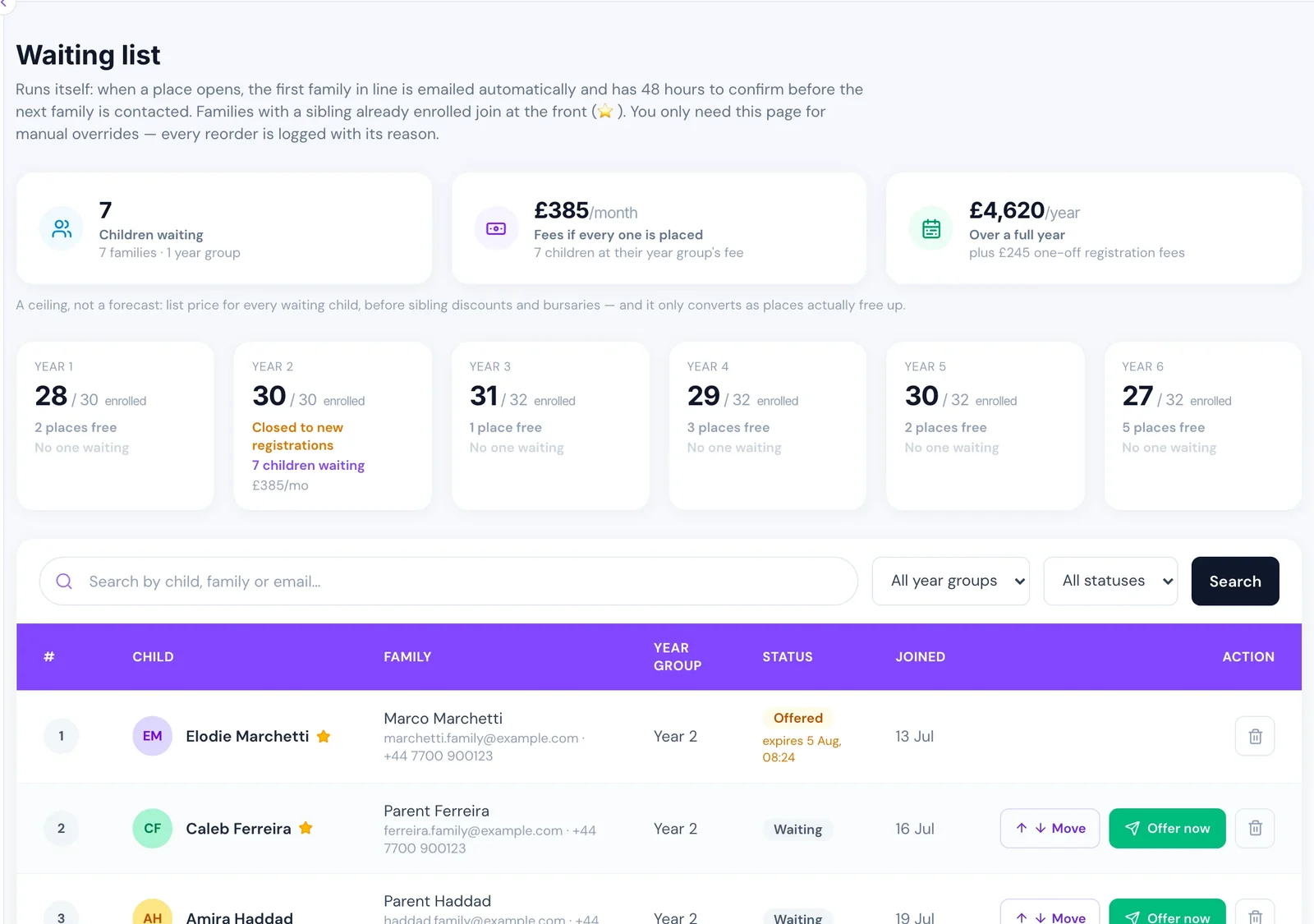
Building-based admissions model an intake: applications, offers, a September start. Online schools overwhelmingly run rolling admissions — a family finds you in February and wants to start the following week. They also have year groups that fill up, which means a waiting list is a core object rather than an afterthought, and pupils who pause for a term and come back, which is much rarer in a building.
A system that only understands "enrolled" and "left" forces all of that into spreadsheets, and once one part of the pupil record is in a spreadsheet the rest follows.
The honest counter-argument
None of this means a general school ERP cannot work. If your online school is small, teaches in one time zone, collects fees by card, and has an administrator with spare hours, a cheap general product is a perfectly rational choice — and a great deal cheaper than anything specialised.
The point at which it stops working is usually one of these:
- somebody is spending hours a week reconciling payments by hand;
- attendance data exists but nobody trusts it enough to act on it;
- you cannot answer "who is paid up to when" without opening a spreadsheet;
- a lesson went uncovered because nobody could see who was free.
Those four are the symptoms of a fit problem rather than a training problem, and no amount of configuration fixes them. What to replace first, and the order that does not break mid-term, is in moving an online school off spreadsheets.
What to ask a vendor
Whatever you are evaluating — including us — these questions separate products designed for online schools from products adapted to them:
- Where does attendance data come from? If the answer is "the teacher marks it", it is a building product.
- What happens to the register when a lesson is cancelled? The right answer is "nothing" — see the cancelled-lesson trap.
- Can we collect fees by bank transfer as a normal method, not a manual note?
- What does a parent in a different country and language see?
- Can a pupil join mid-year, pause, and come back, without editing anything by hand?
For the wider picture of which processes have to work every week, see the operations guide to running an online school.